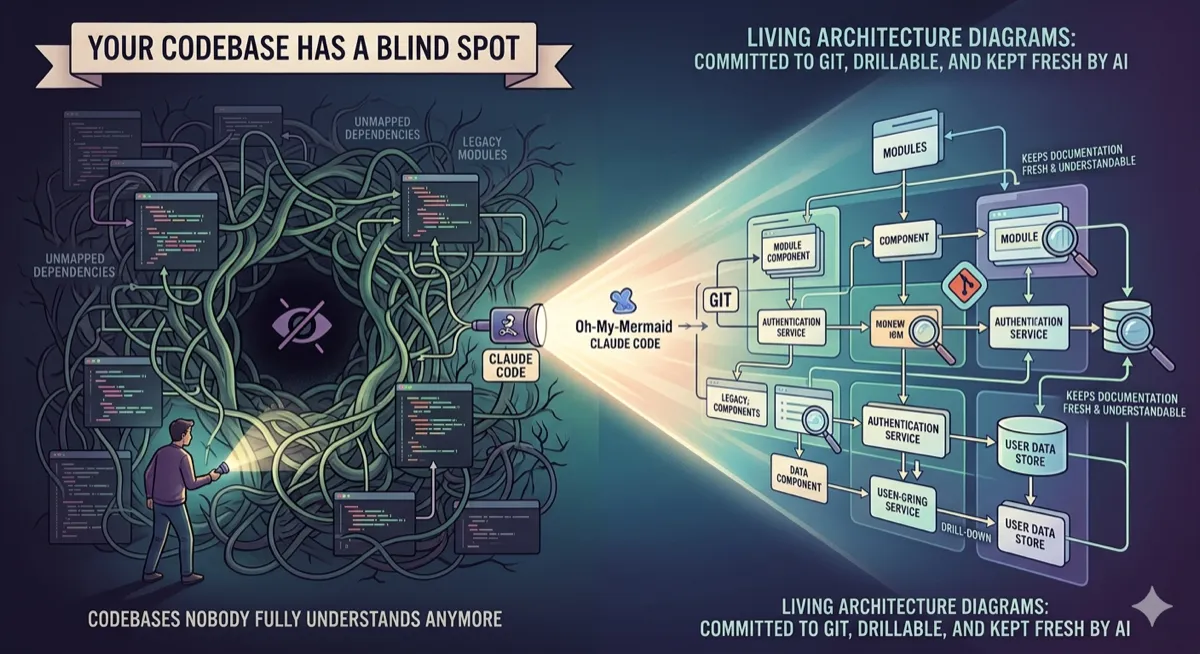
Your Codebase Has a Blind Spot. Oh-My-Mermaid Fixes It.
Vibe coding got us building faster than ever. It also gave us codebases nobody fully understands anymore. This open-source tool uses Claude Code to generate living architecture diagrams — committed to git, drillable, and kept fresh by AI.
Staff Writer · April 7, 2026 · 11 min read
| Metric | Value |
|---|---|
| GitHub Stars | 687 (as of Apr 7, 2026) |
| Commands to Start | 3 |
| File Format | .mmd (plain text, diffable in git) |
Oh-my-mermaid is a young project with 12 commits at time of writing. It’s functional but early. Some features listed in the roadmap (natural language search,
/omm-guide) aren’t shipped yet. The cloud push and team workspace features are part of a paid tier at ohmymermaid.com. The core CLI and Claude Code skills are open source and free.
There’s a specific kind of mess that only happens in fast-moving codebases. Not bugs — bugs are findable. This is worse: nobody knows what connects to what. The auth service calls something in the user module that touches a payment helper that was refactored three months ago, and the Confluence diagram from the initial design is nine sprints out of date.
You end up doing what every developer does in this situation: spend 40 minutes in the debugger tracing dependencies that a good diagram would have shown you in 10 seconds. Then you sigh, think “I should update the docs,” and don’t, because you’re already behind on the next sprint.
Oh-my-mermaid is a direct attack on this problem. It’s an open-source Claude Code plugin that reads your codebase and generates a recursive tree of Mermaid diagrams — one per architectural component, nested to whatever depth makes sense, committed as plain text files next to your source code. The AI does the analysis. The CLI owns the files. You keep the map.
The core idea: perspectives, not one giant diagram
Most architecture diagram tools try to show everything at once. The result is a node-and-arrow soup that takes ten minutes to load and tells you nothing useful. Oh-my-mermaid takes a different approach: it generates multiple perspectives on your codebase — each one a different lens on the same system.
A perspective could be “overall architecture,” “data flow,” or “external integrations.” Each one has its own Mermaid diagram and its own documentation. And crucially, each perspective is recursive: complex nodes become nested child elements with their own diagrams. Simple ones stay as leaves.
The output lives in a .omm/ directory in your project root. The structure mirrors your architecture tree directly:
.omm/
├── overall-architecture/           ← perspective (top-level view)
│   ├── description.md
│   ├── diagram.mmd                 ← Mermaid source, plain text
│   ├── context.md
│   ├── main-process/               ← nested element
│   │   ├── description.md
│   │   ├── diagram.mmd
│   │   └── auth-service/           ← deeper nesting
│   │       └── ...
│   └── renderer/
│       └── ...
├── data-flow/                      ← second perspective
└── external-integrations/          ← third perspective
The viewer — which you launch with omm view — auto-detects this nesting from the filesystem. Elements with children render as expandable groups. Leaves render as nodes. You can click to drill down, navigate with breadcrumbs, and reference another diagram from within a diagram using @class-name syntax.
The whole thing is plain text. Every .mmd file is a Mermaid source file you can read, edit, and diff in git like any other file. Architecture decisions become reviewable. Regressions become visible. The PR that broke the auth flow shows up in the diagram diff, not just in the code diff.
Getting it running
Three commands. That’s genuinely the setup:
# Install globally
npm install -g oh-my-mermaid

# Or one-shot without installing
npx oh-my-mermaid setup

# Register the Claude Code skills in your project
omm setup
The omm setup command registers two Claude Code skills in your project: /omm-scan and /omm-push. From that point forward, you trigger analysis from inside Claude Code:
# Inside Claude Code — scan the codebase and generate diagrams
/omm-scan

# Push generated diagrams to cloud (paid tier)
/omm-push

# View locally in browser
omm view        # starts viewer on localhost:3000
The scan skill is where the actual intelligence lives. Claude Code reads your codebase — files, imports, exports, function signatures, module boundaries — and writes the .omm/ directory structure directly. It decides what deserves a perspective, which nodes are complex enough to recurse into, and how to write the Mermaid diagrams for each level. You’re not prompted through a config wizard. You’re just asking Claude to read the code and draw what it sees.
The README mentions compatibility with Cursor, Windsurf, GitHub Copilot, and any MCP client. The /omm-scan skill is a Claude Code skill specifically, but the CLI and the .omm/ file format are tool-agnostic. You could generate the diagrams with any AI that can write files and commit them to your repo.
The full command reference
Once installed, the omm CLI covers the full workflow — local viewing, cloud sync, diffing, and team sharing:
| Command | Description |
|---|---|
omm setup | Register Claude Code skills and initialize the .omm/ directory |
omm list | List all architecture classes and perspectives in the current project |
omm show <class> | Print all fields — description, diagram, context — for a specific element |
omm diff <class> | Show the diagram diff from the previous version (git-based) |
omm refs <class> | Show which other classes reference this one — reverse dependency lookup |
omm view | Start the local web viewer on :3000 with file-watcher and live reload |
omm push | Push the .omm/ directory to cloud (paid tier) |
omm pull | Pull .omm/ from cloud to sync with teammates |
omm share | Print a shareable read-only URL for stakeholders or embedding in docs |
omm org list | List organizations — for team workspace management (paid tier) |
The omm diff and omm refs commands are the ones I’d reach for constantly on a real team. Diff tells you what changed between the last diagram and now — which is exactly what you want during code review. Refs gives you reverse dependency lookup: “what else breaks if I change the auth service?” is a question that normally requires either excellent memory or a grep session.
Why this matters more than it looks
There’s a surface-level reading of oh-my-mermaid: it’s a nicer way to generate Mermaid diagrams. That’s true but undersells what’s interesting about it.
The deeper thing is the file format choice. By storing diagrams as .mmd plain text files committed to git, the project bets that architecture documentation should be treated exactly like code — versioned, diffable, reviewable, branchable. A diagram that lives in Confluence or Miro is a snapshot. A diagram that lives in git is a living record of how your architecture evolved.
“Every diagram is plain text. Committed to git. Diffable. Reviewable. The filesystem reflects the tree.” — oh-my-mermaid README
This is a fundamentally different mental model from most documentation tools, which treat docs as a separate artifact from code. Here the diagram is adjacent to the code, updated when the code changes (because you run /omm-scan in Claude Code after significant refactors), and visible to anyone who opens the repo.
The recursive nesting is also more useful than it sounds. A single Mermaid diagram trying to represent an entire production system becomes unreadable fast. A tree of diagrams — each covering one level of abstraction, with clickable drill-down — maps to how you actually think about a codebase. You start at the top, understand the boundaries, then zoom into the part you’re about to change.
Core features
| Category | Feature | Description |
|---|---|---|
| Core | Living diagrams | Plain text .mmd files committed to git. Diff them, review them, branch them. |
| Navigation | Cross-diagram links | Reference another element with @class-name. Click to drill down. |
| AI | Claude Code skills | /omm-scan reads your codebase and writes the diagrams. /omm-push syncs to cloud. |
| Viewer | Real-time browser | File watcher + SSE. Browser updates the moment you save a diagram. |
| Team | Cloud push & share | Push to cloud, share read-only links with stakeholders. |
| Org | Team workspaces | Organizations, editor seats, synced views. |
What’s coming next
The roadmap file in the repository gives a clear picture of where the project is headed. Two planned features stand out:
Natural language search across architecture docs — “Where does auth happen?” searches across all perspectives and surfaces the relevant elements. This turns the .omm/ directory from a visualization into a queryable knowledge base.
/omm-guide — interactive onboarding for new developers — A Claude Code skill that walks new team members through the architecture interactively, using the generated .omm/ docs as context. Think of it as a guided tour of the codebase, updated automatically as the system evolves.
The /omm-guide idea in particular addresses a real pain point that documentation tools almost never think about: onboarding. Getting a new engineer up to speed on a complex codebase currently means either an exhausting pairing session with a senior dev, or weeks of slow discovery. An AI guide that knows the actual current state of the architecture — because it’s reading the .omm/ docs that were generated from the actual code — is meaningfully different from a static wiki.
The vibe coding connection
The project’s tagline — “architecture mirror for vibe coding” — points at something real. Vibe coding, where you give Claude or Cursor a goal and let it write the implementation, is fast. Genuinely, impressively fast. But it has a property that traditional development doesn’t: the person who “wrote” the code sometimes doesn’t fully understand it. The AI figured out the approach, chose the abstractions, laid out the modules. You reviewed and approved, but the mental model of the system is hazier than it would be if you’d typed every line.
That’s not a criticism of the workflow — the productivity gains are real. But it does mean the documentation problem gets worse, not better. If anything, you need architecture diagrams more urgently in a vibe-coded codebase than in a hand-crafted one, because the implicit understanding that comes from building something line by line isn’t there.
Oh-my-mermaid treats this as a first-class constraint. The /omm-scan skill is meant to be run regularly — after sprint reviews, after significant refactors, whenever the codebase has drifted from the last diagram. The expectation isn’t that you’ll maintain the diagrams manually. It’s that Claude will maintain them for you.
Limitations
- Early stage: 12 commits, 687 stars. Features may change. Some roadmap items aren’t shipped yet.
- Claude Code dependency: The
/omm-scanskill requires Claude Code specifically. Other AI tools can write to the.omm/format but won’t have the skill integration. - Paid tier for cloud: Push, pull, share, and org features require a subscription at ohmymermaid.com.
- Manual trigger: You have to remember to run
/omm-scan. There’s no automatic sync on commit (yet).
Should you use it?
Honestly, it depends on where you’re at. If you’re solo on a small project with clean module boundaries, you probably don’t need this. Your mental model is accurate, and a README.md with a hand-drawn diagram gets the job done.
If you’re on a team with a codebase that’s more than six months old and has had more than two engineers touch it, the calculus changes. Architecture drift is real, and the cost of not having a current diagram shows up in debugging time, onboarding friction, and the cognitive overhead of every “where does this actually live?” conversation during code review.
Try it
npm install -g oh-my-mermaid
omm setup
# Then in Claude Code: /omm-scan
omm view- GitHub: github.com/oh-my-mermaid/oh-my-mermaid
- Website: ohmymermaid.com
- Roadmap: github.com/oh-my-mermaid/oh-my-mermaid/blob/main/docs/ROADMAP.md
If you want to go deeper on software architecture and systems design, I recommend Designing Data-Intensive Applications by Martin Kleppmann — still the best resource for understanding how modern systems fit together.
This article is for informational purposes only and does not constitute professional advice. Star count (687) and fork count (56) verified on April 7, 2026. The project is in active early development — commands, features, and pricing may change. Cloud and team workspace features require a paid plan at ohmymermaid.com. The open-source core (CLI + Claude Code skills) is free.

Comments
Loading comments...